
Update recovery
Skipping Stones progress reset after the October 15 update
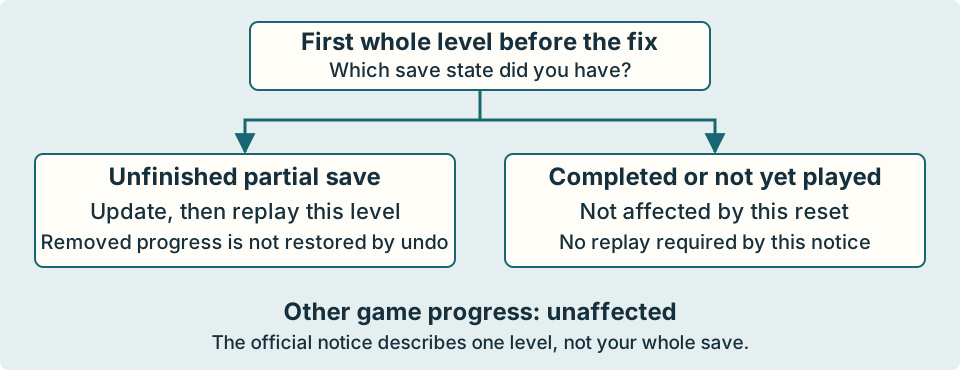
An unfinished save inside the first Skipping Stones level can be reset by the October 15 fix. It is not a reset of your whole game.
The short answer
If you had partly completed the first Skipping Stones level, update the game and expect to replay that one level. Other game progress is unaffected according to the developer. Undo is not a way to recover the progress removed by this fix.
First, check which case describes you
- You had an unfinished first-level save: the fix can clear that level’s partial progress.
- You had already completed the first Skipping Stones level: the announcement says you are not affected.
- You had not entered it yet: the announcement also says you are not affected.
- Progress elsewhere is missing: this announcement does not explain that. Do not assume a whole-save reset is intended.
“First level” means the first whole Skipping Stones level, not just this site’s Board 1. Our board numbers divide a continuous route for navigation; they are not official level IDs.
Why the water and stones could disagree
The developer’s October 15 notice identifies the previous patch as October 14, r67121. That patch caused problems with partial saves in the first level. The fix raises the level version, which clears its incompatible partial state.
Players had reported currents returning to an earlier state while placed stones remained. A linked explanation by mvandevander says an ocean resize was save-incompatible. This explains why a familiar-looking island could have a different stream; it does not prove that every pictured board has a new solution.
These are Steam update notes. We have not confirmed same-day PlayStation 5 or Switch 2 patch parity, and the October 15 notice does not give a new revision number.
Update, identify the entrance, then replay
- Install the update available for your platform. If your platform is behind the Steam notes, check its own update information rather than assuming it has the fix.
- Return to the first Skipping Stones level. If its partial progress is cleared, begin from its current entrance state.
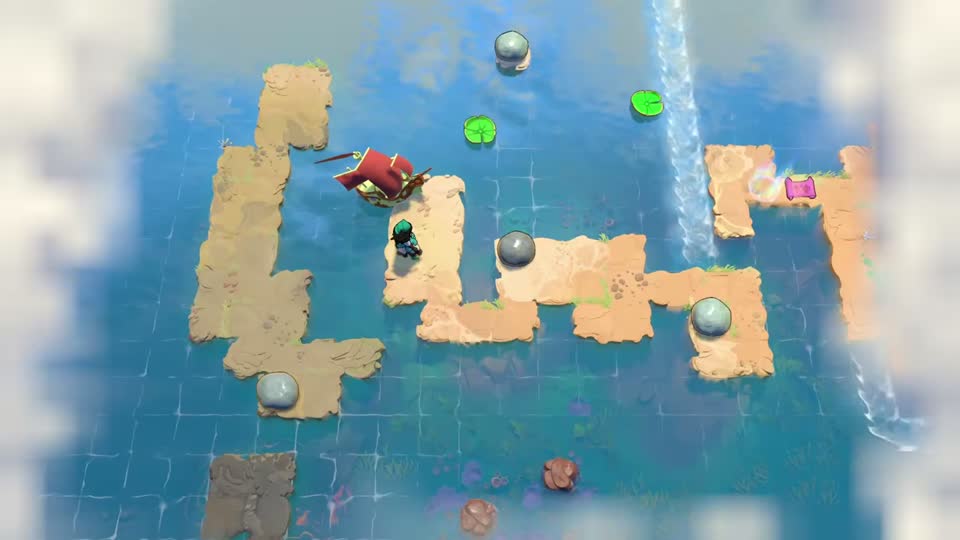
- Use the Level 1 visual directory, starting with the boat and first crossing when your screen matches the picture below.
- Follow the board sequence, preserving stones that travel between areas. At the eastern stone transfer and the westward transfer, finish the transfer before treating the next area as self-contained.
- If a current, checkpoint or stone setup differs, compare the neighboring boards before applying a launch-era move count.
A returned map fog is not enough to diagnose the reset
The same October 15 notes also fix fog-of-war clearance sometimes not persisting in saves. Fog returning by itself is therefore not proof that all puzzle progress vanished. Check your actual entrance, checkpoints and placed objects.
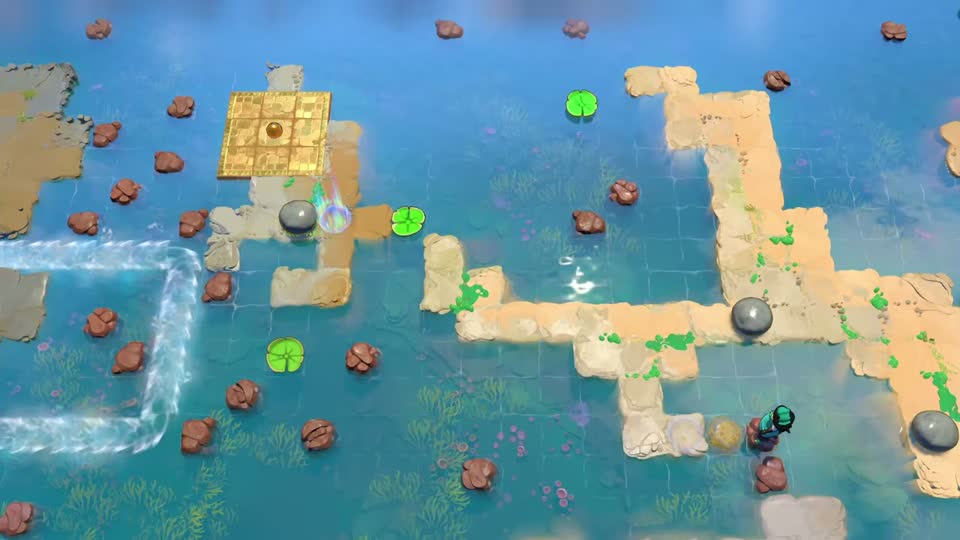
The orb-side area below is much later in the first level, not a separate save slot. If you return there with a changed stream after the old update, use the update-and-replay path above; do not spend unrelated stones trying to repair incompatible water.
What not to rely on
There is no restoration method in the official notice. We cannot promise that undo, a backup, reloading, reinstalling or a new save will restore the removed partial progress. Do not delete your save or restart the whole game to address this one-level issue.
Before the fix, forum replies suggested rewinding and leaving/re-entering the level. Other replies said undo was insufficient. Those reports are not a verified recovery procedure for the updated version.
For a normal mistimed throw on a consistent board, use the ordinary undo and timing choices instead. If another level or completed first-level progress is missing, record the platform, version and exact state and consult the game’s Steam discussions or your platform’s support route.
Check your result
After updating, the first level starts in a consistent, playable state. If it reset, match the entrance picture and rebuild the first crossing. Reaching that crossing again is new progress, not recovery of the removed partial save.
Sources and version details
Official notice checked October 15, 2026; published at 15:58 EDT. The notice calls r67121 the previous October 14 patch, not the new October 15 revision.